Interactive Product Configurator: A Mattress Brand Guide
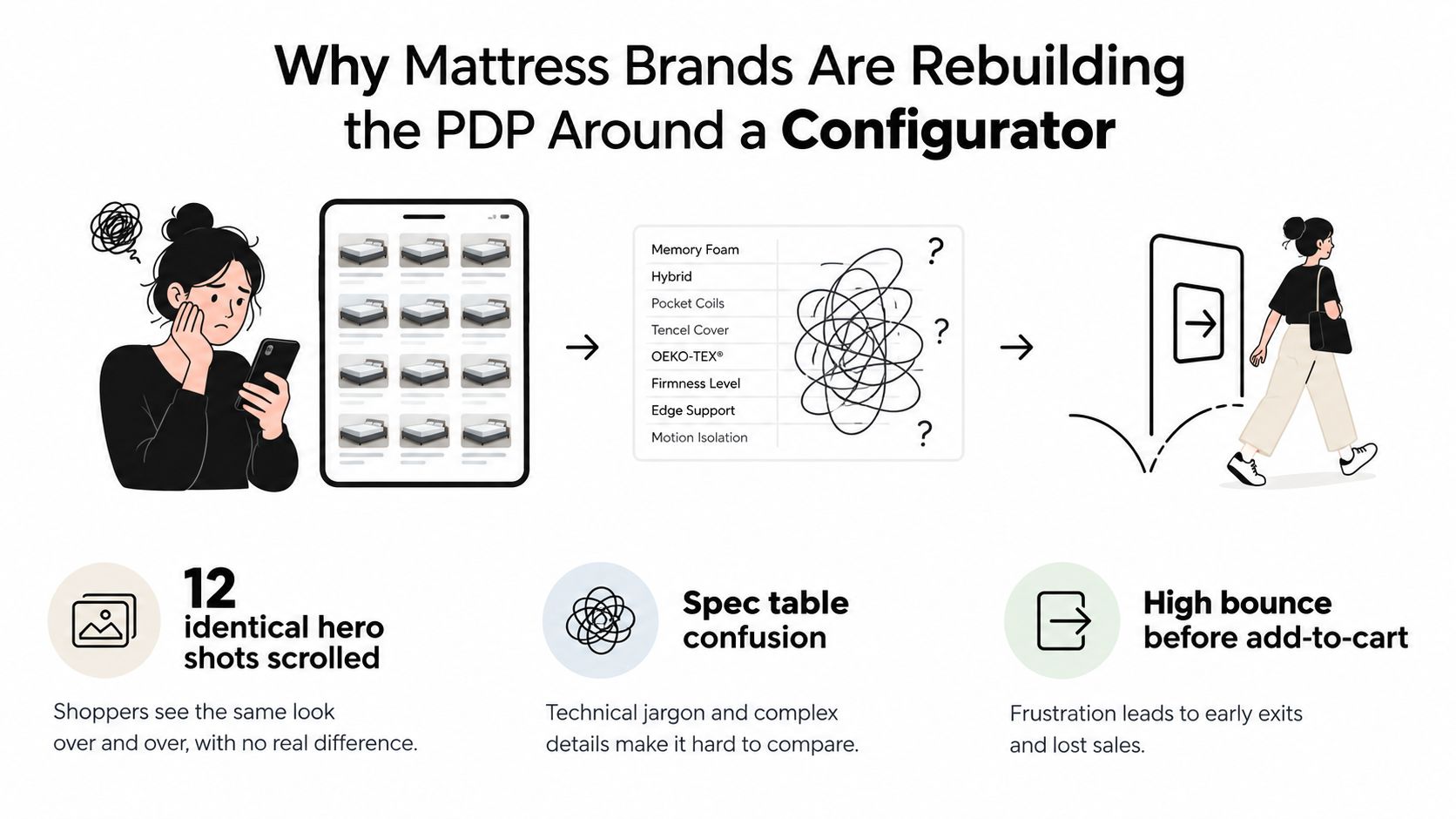
A shopper lands on a mattress product page, scrolls through a dozen similar images, opens a specification table, and still can't tell which bed fits their sleeping position, room, budget, or comfort preference. They leave without adding to cart. The retailer sees the bounce, while the merchandising team wonders why a technically strong mattress isn't communicating its value online.
An interactive product configurator can close that gap, but only if it does more than rotate a pretty 3D mattress. For bedding brands, the useful version connects shopper choices to SKU accuracy, ticking options, quilt construction, foam layers, gusset details, pricing, lead time, and inventory logic. This guide explains how to build that system without losing sight of manufacturing reality, showroom selling, or the limitations of mobile ecommerce.
Why Mattress Brands Are Rebuilding the Product Page Around an Interactive Product Configurator
A couple can agree on a king mattress and still disagree on firmness, cooling materials, or surface feel. A retailer may offer split firmness, several ticking options, and different comfort layers, yet a static product page presents the same images and bullet points to both shoppers. The result is a decision gap, not necessarily a product problem.
Mattress shoppers rarely arrive with a complete technical brief. A stomach sleeper may compare latex density and surface firmness. A side sleeper may focus on pressure relief and a softer quilt. Another shopper may care about a reinforced gusset, mattress height, or whether a split base fits the chosen size. The page has to turn those manufacturing details into choices customers can understand.
The product page needs to answer the next question
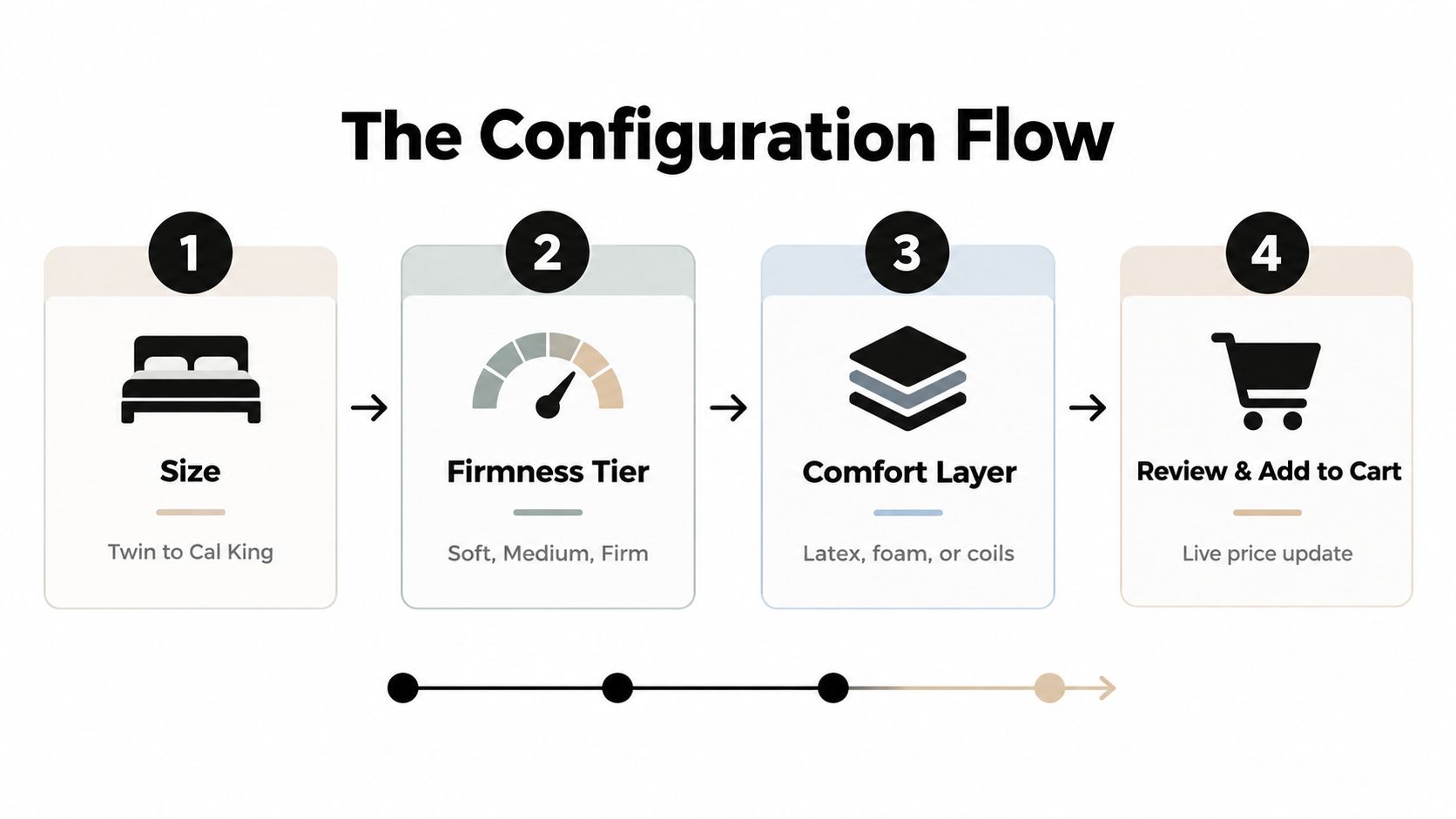
A useful interactive product configurator turns the product page into a guided decision system tied to the catalogue. The shopper selects a size, then sees the firmness choices that can be produced for that size. They choose a comfort layer, and the image updates to show the relevant construction. They compare knit and quilted ticking, inspect the gusset detail, and see whether a foundation or split base is compatible.
The interface should also show the commercial and operational consequences of each choice:
A different size changes the SKU and price.
A split firmness option may only be available in selected sizes.
A discontinued ticking should disappear rather than remain selectable.
A thicker comfort stack may alter the finished mattress height.
A regional stock issue may change availability or lead time.
That logic separates a production-ready configurator from a 3D viewer. Visual fidelity still matters, especially when customers are comparing quilting, ticking texture, profile height, or gusset shape. Manufacturing accuracy matters more when the interface promises a specific SKU, price, lead time, or available combination. Mattress brands should build the rules that protect those promises before investing in every possible animation.
The system works like an experienced retail sales associate. An associate asks questions, narrows the range, explains trade-offs, and prevents a customer from selecting an unsuitable combination. A configurator gives an online shopper the same guidance while keeping a clear path to checkout. It also provides a consistent explanation of why two mattresses that look similar may differ in construction, materials, or price.
Research describing configurators frames them as online applications that let customers design, create, or assemble products from specialized components. The research chapter on interactive product configurators also treats them as direct communication tools between a company and its customers. That distinction matters in bedding, where the interface must explain the build as well as the finished appearance.
What static imagery can't show clearly
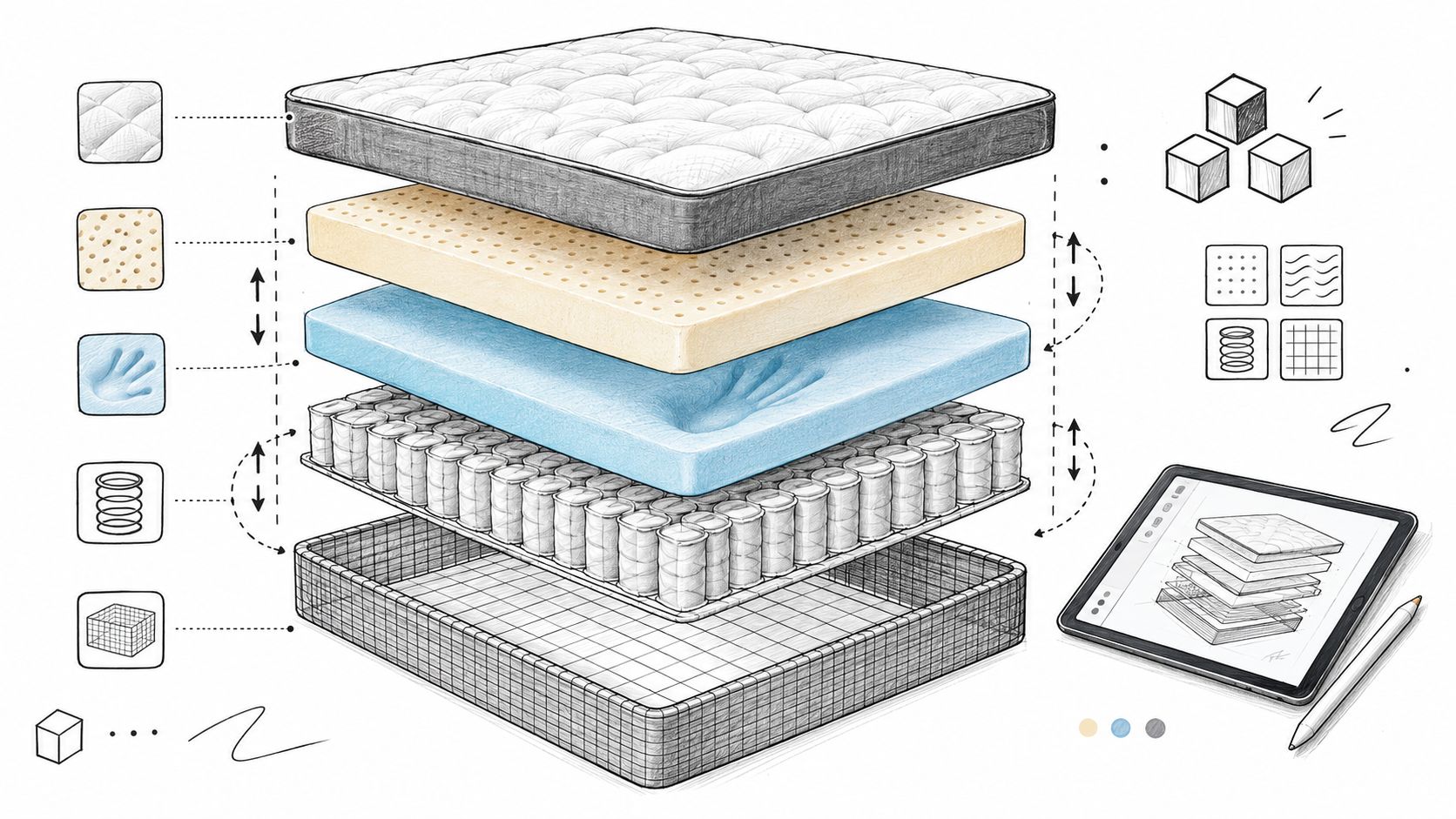
A traditional hero image shows a finished mattress in a bedroom. A silhouette communicates profile and height. A Digibun, meaning a layered product image that exposes the inside of the mattress, shows how the quilt, foam, coils, and base work together. The configurator connects those assets to selectable product rules.
That combination helps shoppers compare meaningful differences instead of scrolling through repetitive angles. It can also support the showroom experience, where a retailer uses a tablet to explain why two mattresses that look similar have different constructions, margins, prices, or selling points. For more on that approach, see our guide to experiential retail.
The commercial opportunity is significant, but the tool needs discipline. The global product configurator market was valued at USD 1.26 billion in 2024 and is projected to reach USD 2.76 billion by 2032, with a projected CAGR of 10.3%, according to Credence Research's product configurator market analysis. Mattress brands do not need to copy industrial configurators. They should apply the underlying principle: customer-facing choice must stay connected to what the business can build, stock, price, and deliver.
For mattress merchandising teams, the practical question is simple: which decision causes shoppers to hesitate, and which visual, specification, or rule would help them make it?
Scoping the Configurator Before You Touch Design or Code
The most expensive configurator mistakes happen before the first interface is designed. Teams start with a visual concept, add options as stakeholders request them, and only later discover that the factory can't build several combinations, the ERP uses different SKU logic, or the price matrix doesn't account for split configurations.
Start with the customer and the product catalogue at the same time.
Map shoppers to decisions
Use practical personas, not broad demographic labels. A hot sleeper may need to compare a cooling cover with a breathable comfort layer. A back-pain shopper may need a firmer support profile and clear information about the transition layer. A couple may want different firmness on each side of a queen or king. A value-first buyer replacing a guest-room mattress may need a smaller set of choices and a clear price ceiling.
Each persona should produce a decision rule:
Define the need. For example, temperature management, pressure relief, support, or price.
Identify the relevant product attributes. Those may include firmness tier, latex or memory foam, pocket coils, ticking, quilt depth, or base pairing.
Remove irrelevant complexity. Don't show every available component if it doesn't affect the shopper's choice.
Connect the choice to a valid SKU. The customer-facing label should map to the same product record used by operations.
Then audit the construction data. Confirm which ticking, quilt, foam layer, coil system, gusset height, and foundation combinations are permitted. A visual change isn't harmless if it changes the finished SKU or creates a product the factory cannot build.
Practical rule: If the factory needs an exception email to approve a configuration, that configuration shouldn't be presented as a normal online choice.
Write the rule set before the wireframe
Create three working documents before design begins:
The option matrix, showing every shopper-facing choice and its associated SKU variation.
The constraint list, showing incompatible, discontinued, regional, or made-to-order combinations.
The price and availability matrix, showing how each valid selection affects price, lead time, and inventory status.
The configurator should handle rules such as a cooling ticking being available only with selected quilt constructions, a split firmness option requiring a compatible base, or a particular foam stack being unavailable in a low-profile model. It also needs a clear response when a shopper changes an earlier selection. Silent resets create distrust.
Shopper Choice | SKU Variation | Condition or Restriction |
|---|---|---|
Mattress size | Twin, Queen, King, or Cal King SKU | Availability, finished dimensions, and shipping configuration must match the selected size |
Firmness tier | Soft, Medium, or Firm construction | The tier must map to an approved foam and support-layer combination |
Comfort layer | Latex, memory foam, or pocket coil option | Only approved layer stacks should remain selectable |
Ticking | Knit, Tencel, or other approved cover | The fabric must be available for the chosen quilt and production line |
Quilt construction | Surface quilting and loft variation | Changes may affect finished height, feel, and SKU identity |
Gusset detail | Profile, edge, or border variation | Must match the finished mattress dimensions and approved cover build |
Base pairing | Foundation, adjustable base, or platform option | The base must support the selected size and product configuration |
A 3D model service for mattress brands becomes more useful after this audit because the visual team knows which geometries and materials need to exist. Without a locked rule set, designers may create beautiful assets for options that operations later removes.
Scoping also determines whether the project needs a full configurator or a guided product selector with a smaller number of controlled variants. A brand with a tight collection may gain more from a fast, accurate selector than from an elaborate open-ended tool. The right scope is the smallest system that helps shoppers decide while keeping every output commercially and technically valid.
Building the 3D, AR, and Layered Visual Assets Your Mattress Configurator Needs
A mattress configurator's asset library should begin with manufacturing truth, not a marketing mood board. The base mattress mesh needs accurate proportions, finished height, edge shape, gusset profile, and material zones. If the render shows a generous rounded edge but the shipped mattress has a squared gusset, the visual experience creates the wrong expectation.
Build the minimum viable asset set first
The core pipeline normally includes:
A 1:1 base mesh, with the correct dimensions and mattress profile.
Swap-ready layer geometry, so the comfort layer, support core, and foundation pairing can change without rebuilding the entire scene.
Material textures, with separate treatment for knit ticking, Tencel, quilted covers, tape edges, and gussets.
A silhouette view, showing the mattress outline, height, and profile without distracting detail.
An exploded layer view, showing the construction in a way that doesn't imply an inaccurate coil count or foam density.
Fallback still images, for low-power devices, slow connections, email, paid media, and product cards.
Physically based rendering, or PBR, matters because mattress fabrics don't all reflect light the same way. A smooth knit, a brushed cover, and a quilted textile need different sheen and roughness settings. If every ticking appears equally glossy, the shopper can't read the material distinction.
The layered view also needs restraint. A Digibun can show the quilt, comfort foam, transition foam, coil unit, edge support, and base layers, but it shouldn't visually exaggerate thickness to make the product look more substantial. Manufacturing documentation should determine the relative proportions.
Treat AR as a fit tool
Augmented reality is most useful when it answers a practical question. Can the mattress fit in the bedroom? Does the height work beneath a sloped ceiling? Will the combination of mattress and foundation create an uncomfortable overall profile? Can the shopper understand the footprint before ordering?
Set AR at true mattress height and use the actual selected size. A rendered bed that floats above the floor or uses a generic queen footprint undermines confidence. AR may be valuable for a bedroom scene, but it shouldn't replace accurate dimensions, delivery information, or an explanation of how the mattress arrives.
Research on configuration visualization notes that image-based interaction, such as selecting parts of a product image to change color or add features, remains a practical and common form of interaction even as industry attention moves toward advanced AR, VR, and mixed reality. The paper on product visualization in configurators supports a sensible approach: use advanced visualization where it clarifies a decision, and use simpler imagery where it loads faster or communicates more directly.
A mobile shopper may never activate AR. They may see a still image, a layer diagram, or a short product animation instead. The asset system should support all three paths.
Keep the broader image library working
The configurator won't cover every marketing placement. Search ads, collection pages, retailer portals, social posts, email campaigns, and showroom screens still need clean product visuals. Silhouettes work well for comparison grids. Room Scenes help communicate scale and bedroom context. Digibuns explain construction in a way a finished hero image can't.
A practical guide to AR and 3D modeling is useful when a brand is deciding which assets should be interactive and which should remain static. The strongest pipeline doesn't force every image into the configurator. It builds a shared source of truth that can produce accurate interactive states, product page imagery, retailer assets, and sales-training materials.
Designing the Configuration Flow So Shoppers Can Actually Decide
A 3D viewer gives shoppers something to look at. A configuration flow gives them a reason to continue. The sequence should follow the questions people ask when buying a mattress, not the order in which the internal catalogue was created.
Start with size. Then move to firmness, comfort layer, ticking and gusset details, and compatible add-ons such as foundations or adjustable bases. Some brands may need a different sequence, but each step should reduce uncertainty before introducing another choice.
Make every selection consequential
The interface should update more than the picture. As the shopper changes an option, update:
Price, including the effect of size, material, and base selections.
Availability, based on the selected SKU and relevant inventory source.
Lead time, especially when a choice moves the product from stocked to made-to-order.
Finished height, where the comfort stack, quilt, or foundation changes the profile.
Comparison details, such as support construction, certifications, or an ILD range where the brand can explain those terms clearly.
Don't place every technical specification on the canvas at once. Show a concise summary beside the visual, then let the shopper expand details. “Pocket coil support” may be useful as a label, while a longer explanation can clarify what the component does without forcing the shopper to interpret factory language.
The rule engine should prevent invalid combinations before the cart. A constraint-based configurator can model the product as features and constraints, then calculate the consequences of each choice. The research on constraint-based configuration describes this as a stepwise process in which each decision adds constraints and earlier choices can be retracted. That reflects real mattress shopping, where people compare a softer option, go back, and reconsider the price.
Protect the shopper's progress
A shopper who changes from King to Queen shouldn't lose their firmness or ticking selection without explanation. If a changed size invalidates one option, show the reason and suggest a valid alternative. Don't reset the whole product to its default state without notice.
A study of 111 web configurators found that 31% either lacked backward navigation or were stateless, according to the empirical study of web configurator usability. The same study found that 4% failed to verify mandatory options and 26% of format-constrained configurators failed to check formatting constraints. The lesson for mattress brands is direct: persistent state, explicit back-navigation, and validation at each step matter more than ornamental 3D effects.
On mobile, use thumb-friendly steppers, swipe-to-rotate gestures, large material swatches, and a sticky summary bar. The summary should keep the selected size, firmness, price, and key construction details visible while the mattress spins. A shopper shouldn't have to close the visualizer to remember what they selected.
Teams building on Shopify or another ecommerce platform can also benefit from a broader UX framework for Shopify stores, particularly when the configurator needs to work alongside search, navigation, reviews, subscriptions, and checkout. The mattress flow should feel like part of the store, not an isolated technical demo.
Choosing the Stack and Wiring It Into Your Ecommerce, CMS, and ERP
The technology decision starts with catalogue complexity, not visual ambition. A SaaS tool may launch quickly and handle common variant logic. A custom build may create a more distinctive experience but require deeper ownership of rules, performance, integrations, and maintenance. A hybrid approach can keep the visual layer flexible while leaving manufacturing logic in systems that already manage it.
Common SaaS options include Threekit, Configura, Zakeke, and Specifi. For teams building a custom front end, relevant options include model-viewer, Babylon.js, and Three.js with React Three Fiber. The choice depends on whether the hard problem is visual interaction, product rules, pricing, or enterprise integration.
Approach | Time to Launch | Customization | Integration Depth | Best Fit |
|---|---|---|---|---|
SaaS configurator | Usually faster | Controlled by platform capabilities | Strong where connectors exist | A catalogue with limited configuration depth |
Headless 3D library | Depends on internal team and assets | High visual flexibility | Requires custom ecommerce and rule connections | A brand with capable frontend development |
Fully custom build | Longer and more involved | Highest control over flow and logic | Can reach deeply into ERP, CPQ, and inventory | Differentiated products with complex rules |
Hybrid architecture | Moderate | Visual and rule layers can be separated | Useful when ERP logic must remain authoritative | Brands balancing experience and operational control |
Connect the customer choice to the right record
Shopify, BigCommerce, Magento, and Salesforce Commerce Cloud can all support configurable experiences, but the implementation details differ. The critical question is how the selected configuration becomes a cart line item, order detail, or quote. A visual combination that doesn't map to a recognized SKU creates customer service work after checkout.
Watch for variant SKU explosion. If every ticking, firmness, size, and base option becomes a native ecommerce variant, catalogue management can become difficult. Some brands use a base SKU plus configuration metadata. Others generate a validated child SKU. Either approach can work if the order record remains clear to production, fulfillment, customer service, and the retailer.
The CMS should let marketing teams update copy, swatch imagery, comfort descriptions, and educational content without redeploying the entire application. Product managers also need a controlled way to retire a ticking, change a firmness description, or update a lead-time message.
Keep ERP and CPQ authoritative
Inventory and manufacturing systems should be able to disable an option when a fabric is discontinued, a component is unavailable, or a regional stock position changes. The configurator can present the decision, but it shouldn't invent operational truth.
For B2B, wholesale, and mattress-in-a-box channels, CPQ logic may need to account for carton dimensions, shipping restrictions, distributor pricing, and account-specific rules. A consumer may see a clean retail price, while a sales representative may need a quote containing the selected construction, packaging requirement, and delivery conditions.
A separate software forecast valued the product configurator software market at USD 2.27 billion in 2025 and projected it to reach USD 5.26 billion by 2034, with cloud deployments projected to rise from 43.2% of the market in 2025 to 58.6% by 2034, according to DataIntelo's product configurator software forecast. Those figures point to growing interest in SaaS delivery, but they don't remove the need to inspect data ownership and integration depth.
For a mattress brand with a catalogue under 50 SKUs, SaaS may be a practical starting point. Choose custom when the configuration experience is a major differentiator. Choose hybrid when the ERP, inventory, or CPQ rules are too complex to externalize safely.
Analytics, Testing, and Launch Best Practices for a Mattress Configurator
A configurator earns its place when it helps shoppers move from uncertainty to a valid product decision. That requires instrumentation from the first interaction, not a last-minute analytics tag added after launch.
Track the full path:
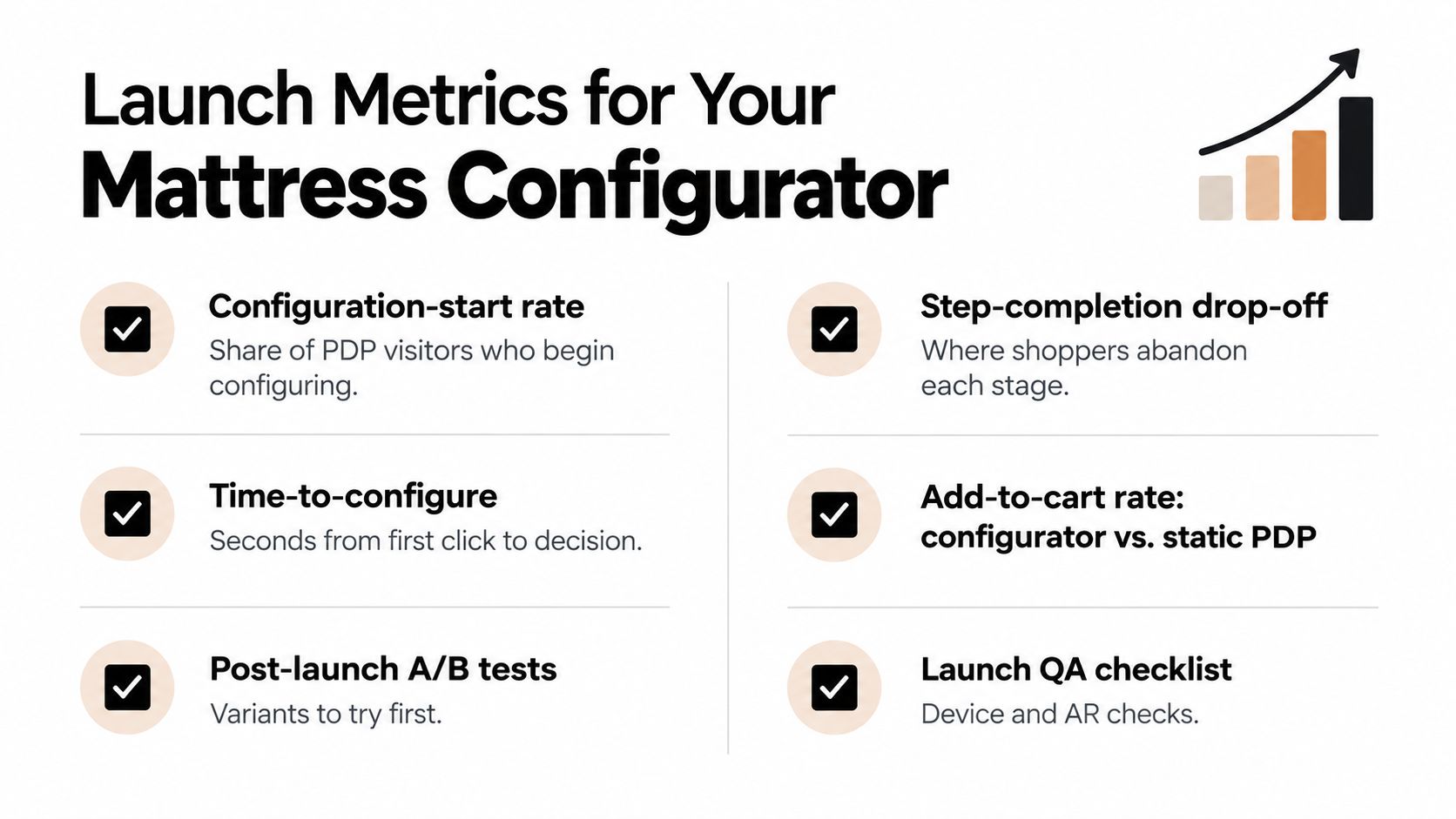
Configuration-start rate, the share of product page visitors who begin configuring.
Step-completion drop-off, showing where shoppers leave the flow.
Time-to-configure, measured from the first meaningful interaction to a completed selection.
Add-to-cart rate, compared between configurator traffic and the static product page experience.
Revenue per configurator session, interpreted alongside margin and product mix.
Configuration error events, including invalid combinations, unavailable options, and failed SKU mappings.
Qualitative evidence matters just as much. Session replays can show whether shoppers abandon at the firmness step or struggle to understand the layer view. Mobile heatmaps can reveal whether rotation controls, swatches, or the summary bar fall outside the thumb zone.
Test decisions, not decoration
A/B testing should focus on choices that affect comprehension. Test whether the default firmness helps or biases the decision. Test the order of size and firmness steps. Test whether showing coil construction early answers a shopper's question or creates technical overload.
Don't begin with button colors while the rule engine still resets selections. A configuration study found that many configurators violate basic human-computer interaction principles, and its practical recommendation is to start with a slim scope, define personas and journeys, prototype quickly, and use ongoing analytics to find abandonment points. The research on web configurator implementation supports that order of operations.
Roll out in controlled stages
Use feature flags so a rule, visual asset, or pricing change can be rolled back without a full redeploy. A sensible sequence is:
Internal dogfood, with merchandising, customer service, sales, and manufacturing reviewing real configurations.
A single high-traffic SKU, chosen because its rules and assets are understood.
A controlled catalogue expansion, after the first SKU exposes missing events, unclear language, or production exceptions.
The data layer should use stable event names such as , , , , , and . Map those events to GA4 and ensure the Meta pixel fires when the configuration reaches the relevant completion state, not merely when a user opens the viewer.
A useful feedback widget should store the configuration ID or selected option set. When a shopper calls customer service, the representative should be able to replay the exact path that produced the question. A guide to analytics implementation for marketing teams can help structure the data layer, event naming, and reporting process.
Launch QA also needs physical and commercial checks. Confirm that the selected visual matches the actual ticking, quilt, gusset, foam stack, and base. Confirm that price, availability, lead time, order details, and retailer-facing information remain aligned. A polished interface can't compensate for an inaccurate mattress.
Your 90-Day Rollout Plan and Where Bedhead Network Fits Next
A mattress configurator should launch in controlled sprints, with each stage producing something the next team can test. The timeline below is a practical structure for a 90-day rollout, though the actual pace depends on catalogue condition, asset readiness, and integration complexity.
Days 1 through 30 should settle the product truth
The first sprint is not a design sprint. It is a product and operations audit.
Audit existing SKUs, product sheets, price lists, and retailer data.
Map personas to real decisions such as firmness, cooling, pressure relief, and split comfort.
Confirm the approved combinations for ticking, quilt, foam, coil, gusset, and base options.
Identify discontinued materials, regional restrictions, made-to-order choices, and inventory dependencies.
Define the first configuration rules and exception messages.
Shortlist SaaS, custom, and hybrid vendors based on integration needs.
Agree on the first product page and the information it must expose.
The output should be a signed-off rule set, not a mood board. Manufacturing, merchandising, ecommerce, customer service, and sales should review it together.
Days 31 through 60 should make the experience tangible
The second sprint creates the assets and the working flow. Capture or build the base 3D mattress, layer views, ticking materials, silhouette images, room scenes, and mobile fallbacks. Then connect the selection flow to the ecommerce and CMS scaffolding.
Use a closed beta on two SKUs with different levels of complexity. One can represent a straightforward mattress. The other should test a harder case, such as multiple comfort layers, split firmness, a special ticking, or a compatible adjustable base.
At this stage, ask factory and customer service staff to break the tool. Try invalid combinations. Change size after selecting firmness. Remove a component from inventory. Reload the page. Open the configurator on a slower mobile device. The system should recover clearly in every case.
Days 61 through 90 should prove the operating model
The final sprint adds full analytics, tests the flow against the legacy product page, completes merchandising updates, and expands the launch through feature flags. Compare not only add-to-cart behavior but also completed configuration quality, support questions, invalid selections, and order accuracy.
The next week should produce four concrete actions:
Audit your existing SKU catalogue against current PDP copy and product imagery.
Pull product page bounce and add-to-cart data to identify the mattress that needs decision support first.
Define the first three shopper decisions, such as size, firmness, and comfort layer.
Book a scoping call with Bedhead Network to align catalog ingestion, manufacturing-rule modeling, visual asset production, and launch sequencing.
Bedhead Marketing works exclusively with mattress and bedding businesses, including manufacturers, brick-and-mortar and ecommerce retailers, private-label brands, and sleep-product startups. Its work can combine SEO, paid media, product page optimization, sales training, brand development, and 3D assets such as Digibuns, Silhouettes, and Room Scenes. For brands that need education before implementation, Bedhead University provides a starting point for building shared product and marketing knowledge.
At the bottom of the rollout, keep the community connection active through Bedhead Network, a free resource for mattress industry professionals at www.BedheadNetwork.com. It serves as a hub for marketing insights, news updates, networking, training resources, an industry directory, and business tools.
If your mattress product pages still rely on repeated hero shots and disconnected specifications, Bedhead can help turn accurate product data into a clearer configured buying experience, supported by 3D visuals, SEO, ecommerce content, and sales enablement. Visit BEDHEAD to discuss your SKU audit, visual asset needs, and first configurator rollout.