3D Product Photography for Mattress Brands: A Guide
A mattress shopper opens a product page and finds a polished hero image, a side profile, and a list of specifications. The page says “zoned support” and “premium quilted cover,” but the shopper can't see the foam layers, inspect the ticking, or judge how the mattress's height and edges will look on a bed frame. That gap between what the product is and what the page shows can make comparison harder, whether the shopper buys online or carries unanswered questions into a showroom.
3D product photography can close that gap, but it works best as more than a rotating model or an AR feature. For mattress brands, the opportunity is to build an accurate, reusable visual system that stays aligned with product specifications, retailer feeds, and every version of the product.
The Mattress Product Page Problem Most Brands Miss
A marketing director reviews a new hybrid mattress page before launch. The hero image looks clean, the side view communicates height, and the copy explains the comfort layers. But the quilt pattern, gusset, edge construction, and differences between firmness options remain hard to judge. A shopper comparing models has to infer the details that could help them choose.
That's a specific problem in bedding. A mattress's value is not captured by its outline alone. Dimensions, ticking, quilting, foam layers, coils, support zones, and edge design all contribute to how the product looks and what a shopper expects to feel. Static photography can show surface details, but it can't always make internal construction or variant differences easy to understand.
Traditional shoots also become difficult to scale when a product family includes multiple sizes, fabrics, bases, and configurations. Every physical sample has to be available, and changes to materials or construction can mean another round of production. The result may be a patchwork of images created at different times, under different lighting, with uneven detail across the catalog.
Useful product imagery helps shoppers compare instead of admire. For a practical perspective on how people use online visuals to evaluate products, use photos to pick better furniture. The same principle applies to bedding: a shopper needs enough visual evidence to understand what distinguishes one mattress from another.
A product page should connect the image sequence, product details, and buying decision. Bedhead's guidance on product detail page optimization offers a useful framework for reviewing whether those pieces work together. If a shopper can't find the information that matters, adding more images alone won't fix the page.
What 3D Product Photography Actually Means for Bedding
A mattress product page may look like a collection of separate images, but a well-planned 3D program starts with a measured digital model. The model represents the mattress's geometry, materials, and construction so a production team can create consistent views for different channels without treating every image as a separate photo shoot.
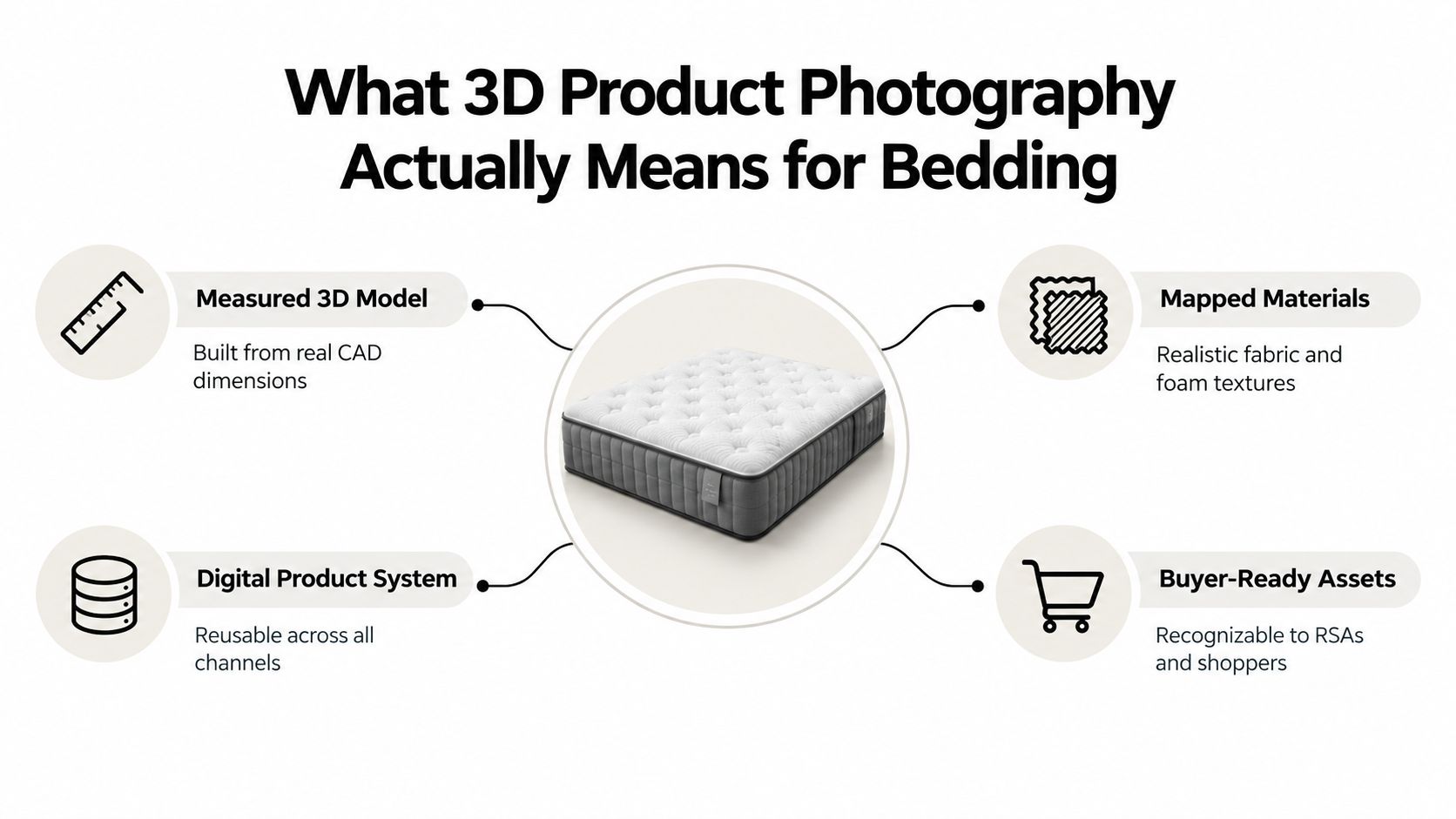
The process begins with product information. CAD dimensions, drawings, material samples, and reference photography can help define the mattress's shape and appearance. The model is then dressed with mapped materials that represent the ticking, quilt, foam, and other visible components. Controlled lighting and camera angles turn that asset into images designed for specific shopper needs.
From one verified model, a team can create a family of buyer-ready assets:
Silhouettes are clean product images, often on a neutral background, for product pages, catalogs, and retailer feeds.
Digibuns show a layered cutaway of the mattress, helping explain foam layers, coils, and other internal construction.
Room scenes place the product in a bedroom setting to communicate scale and style.
Interactive views let shoppers rotate or configure a product when that interaction helps them make a decision.
These assets differ from a conventional shoot in how the source material is built and reused. A shoot captures a physical sample from the angles available on set. A 3D model can be rendered from additional views or adapted to show approved material and configuration options, provided the model and product data remain accurate.
Lifestyle context can also help shoppers understand how a product might fit their home. For a useful example of visualizing a finished space, see Suburban Furniture's interior design rendering services. For mattress brands, the key is to keep the product itself clear, recognizable, and consistent across both neutral product images and room scenes.
How a Mattress Render Is Actually Built
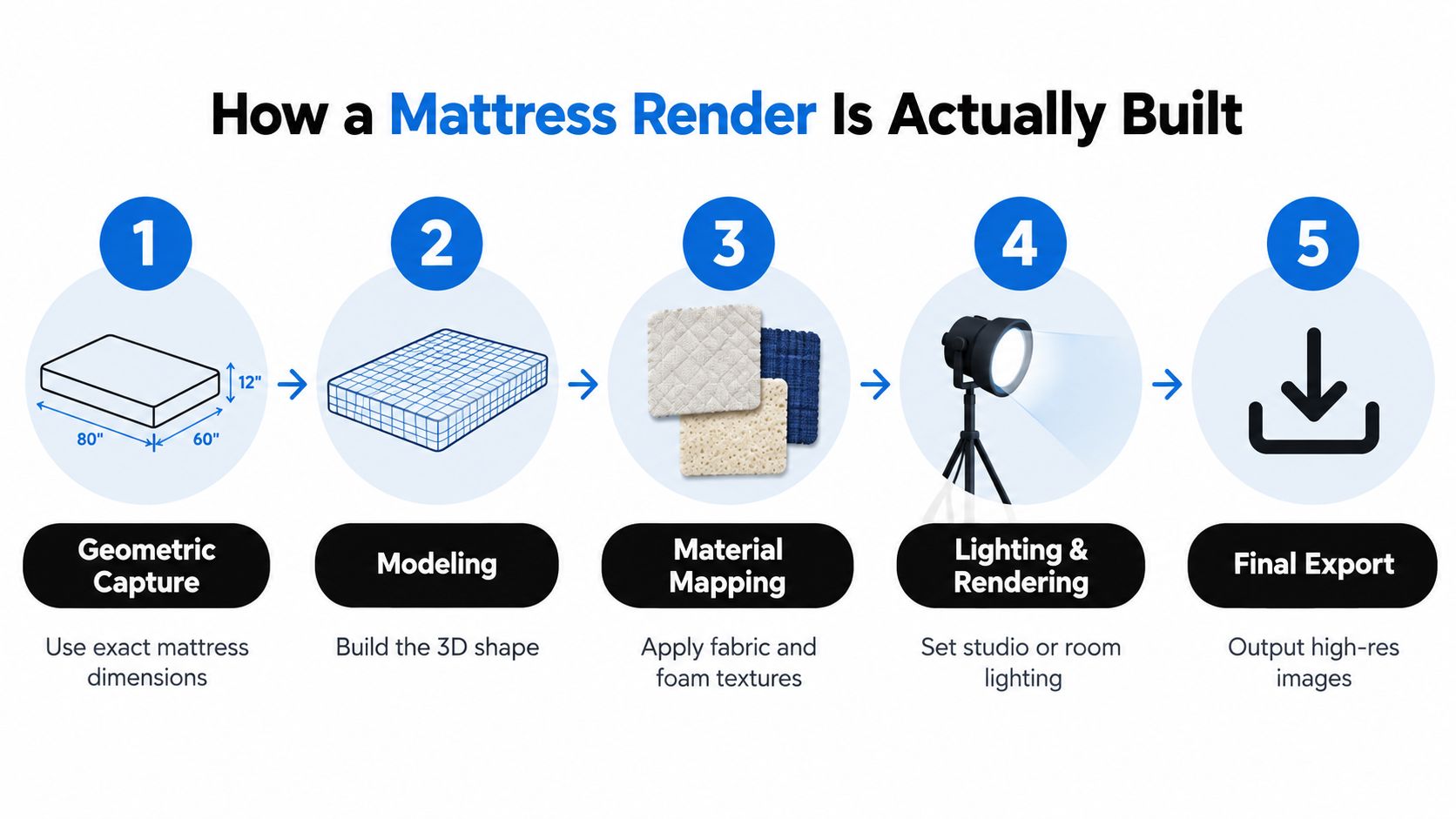
A dependable render begins with product truth, not lighting effects. The team needs a clear reference for dimensions, construction, materials, and the details shoppers must be able to see. That usually means working from CAD files or technical drawings, then validating the result against a physical sample or measured reference.
Start with geometry and validation
The model needs to represent the mattress's overall shape, thickness, quilting, and edge profile. Photogrammetry can help capture the base form and surface appearance when a product is difficult to photograph or scan conventionally. A comparative study reported approximately 97.6% accuracy for reconstructed dimensions and shapes, while a separate mobile-photogrammetry study reported 97.2% average accuracy, with results varying by test geometry (comparative photogrammetry research).
Scale matters. The same research reports that accuracy exceeded 98% for geometries larger than 150 mm, but could fall to about 83% for features smaller than 10 mm. That makes photogrammetry more suitable for broad contours than for tiny stitches, labels, or piping. A scale reference, even lighting, multiple viewpoints, and 60–80% image overlap support a more reliable capture; CAD or manual correction may still be needed for details that must be exact.
Map the ticking and set the light
Once the geometry is approved, texture work brings the surface to life. High-resolution photographs or calibrated material references can help reproduce the ticking's weave, color, knit pattern, and quilt. A fabric that looks convincing under one lighting setup can shift in appearance under another, so consistent color management matters across the product page, retailer assets, and printed materials.
Lighting should reveal the mattress without changing its perceived color or obscuring the quilt. The same approved lighting approach can then guide the hero image, cutaway, close-ups, and room scene. For a product with a gusset or distinctive edge treatment, choose angles that show those features clearly rather than burying them in shadow.
Export for the channel
The approved master asset can be rendered at high resolution for campaign work, then optimized into lighter versions for web use. Interactive viewers and AR exports may require additional preparation, but they should be tested on the actual product page and devices shoppers use.
Quality control shouldn't stop at a visual review. Research comparing 3D acquisition methods recommends validating the final geometry against references with measurable deviation methods such as RMSE, mean deviation, or Hausdorff distance (3D model acquisition study). Ask a vendor how they verify dimensions, texture, and final exports before approving the first asset family.
Choosing the Right Asset for the Right Job
Asset selection should follow the shopper's question. Someone trying to understand a mattress's internal build needs a different visual from someone checking whether a particular fabric works with a bedroom style. A full set of interactive features can be unnecessary when a simple, accurate product image answers the buying question.
Asset | Best Use | Mattress-Specific Example | Channel Fit |
|---|---|---|---|
Digibun | Explain construction | Show foam layers, coils, and support zones in a hybrid mattress | Product pages, sales materials, showroom displays |
Silhouette | Present the product clearly | Show the full mattress against a clean background, including its profile | Product pages, retailer feeds, catalogs |
Room scene | Provide lifestyle context | Show mattress height and proportions on a compatible bed frame | Campaigns, product pages, digital ads |
360 spin | Let shoppers inspect orientation | Rotate the mattress to view its top, side, and edge | Product pages |
Configurator | Compare approved options | Select fabric, firmness, size, or an adjustable base combination | Product pages, guided selling |
AR | Check in-home placement | Visualize the mattress or bed setup within a shopper's room | Mobile product experiences |
Match investment to assortment
A product line with several approved ticking options, firmness choices, and base combinations may benefit from a configurator because shoppers need to compare real variations. A single-firmness model with limited options may be better served by strong silhouettes, a useful cutaway, and detailed close-ups.
A 360 spin helps with orientation, but it doesn't automatically explain what's inside the mattress. A Digibun can make construction more legible, but it won't replace a tactile showroom experience or a well-written product description. Room scenes show context, while a silhouette gives retailers a straightforward product image that's easier to use in a feed.
Think of each asset as answering a distinct buying question. Retail imagery can help shoppers assess an item before they visit a store, as illustrated by this guide to browse furniture photos for buying decisions. For mattress teams, a practical sequence might start with a clean hero image, then show the side profile, a ticking close-up, a construction visual, and only then an interactive feature if it adds useful information.
Before commissioning a 3D program, map the assortment and the questions each asset must answer. Bedhead's overview of a 360 product viewer can help teams consider where a spin fits alongside static images and construction visuals.
What the Numbers Say About Conversion and Returns
Interactive imagery has a measurable case, but the headline figures shouldn't become a sales promise. Reported industry research estimates an average 27% conversion-rate improvement for products with 360-degree views and interactive 3D models compared with static galleries. The same source reports that 3D visualization can reduce e-commerce return rates by approximately 18% to 23% (3D e-commerce market report). Those are reported averages, not guaranteed results for a mattress page.
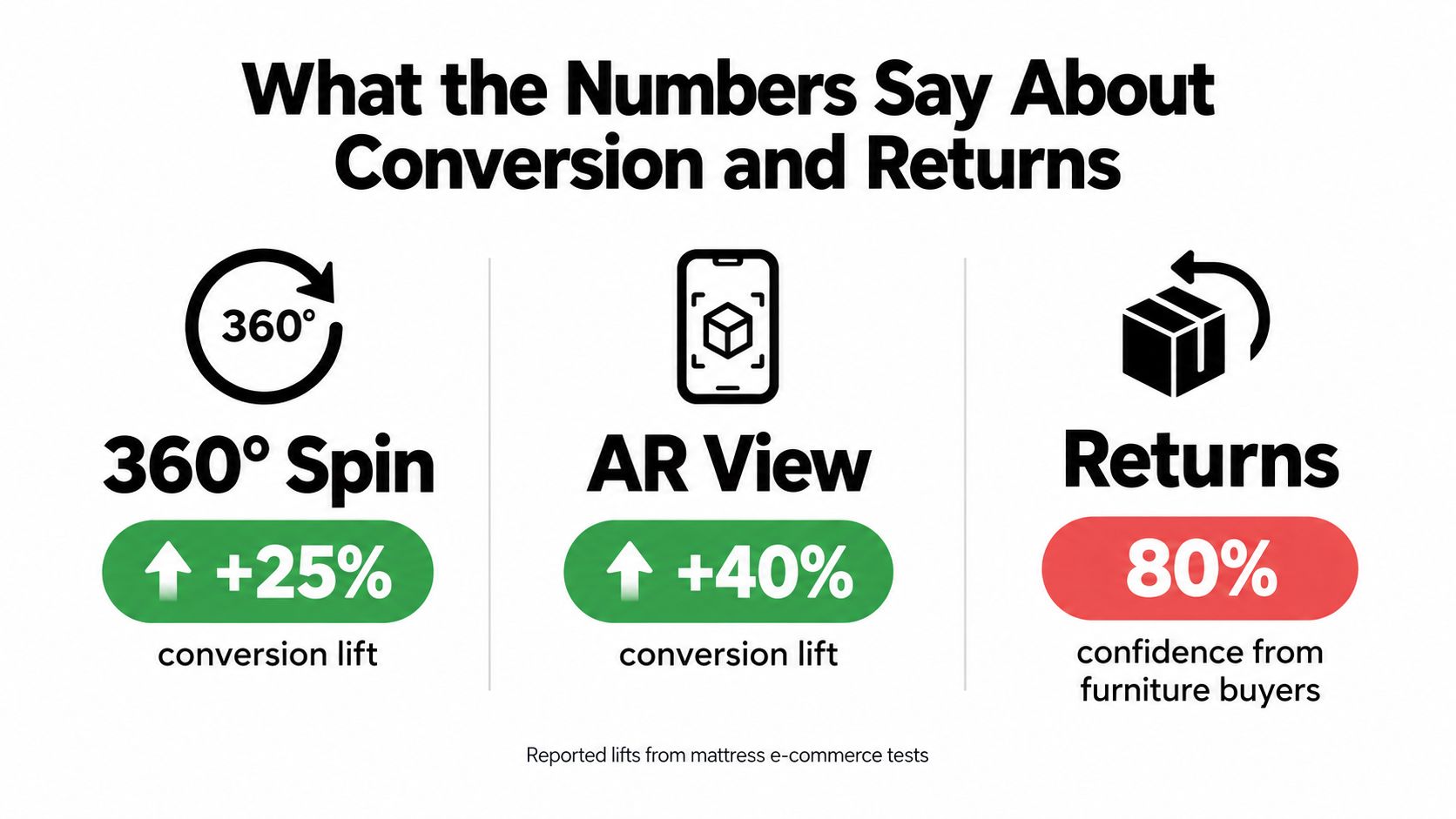
Furniture-specific findings add context. A 2025 furniture-shopping study cited by 3D Cloud found that 80% of qualified furniture shoppers agreed 3D product models increased confidence in their purchase decisions. In a separate 50/50 A/B test involving 220,000 product-detail-page views for a major furniture retailer, visitors who interacted with 3D spins or AR features converted 35% more often than standard users. The same source reports average usage rates of 6.2% for spins and AR and 13% for product configurators (3D configurator research and examples).
For a mattress brand, confidence and conversion depend on what the visualization clarifies. A spin might help show profile and proportions, while a configurator could help compare fabrics, sizes, or base combinations. A cutaway can make internal construction easier to understand. None of these formats proves that the mattress will feel right to a particular shopper, and none guarantees fewer returns.
Put the figures into a testable plan
Treat external figures as a reason to test, not as a forecast. Compare a product page with and without a specific visual feature, and track whether shoppers interact with it, proceed to purchase, or need less clarification during the buying process. Keep the test focused: if the page changes its copy, price presentation, and image sequence at the same time, it's harder to know which change mattered.
Results depend on product fit, model accuracy, mobile usability, page speed, and how clearly the feature is introduced. A complicated viewer that loads poorly or shows inaccurate quilting can undermine trust rather than build it. The useful question for budget planning isn't “Will 3D lift conversion?” It's “Which shopper uncertainty can this asset reduce, and how will we measure the result?”
Performance, Accessibility, and Asset Governance
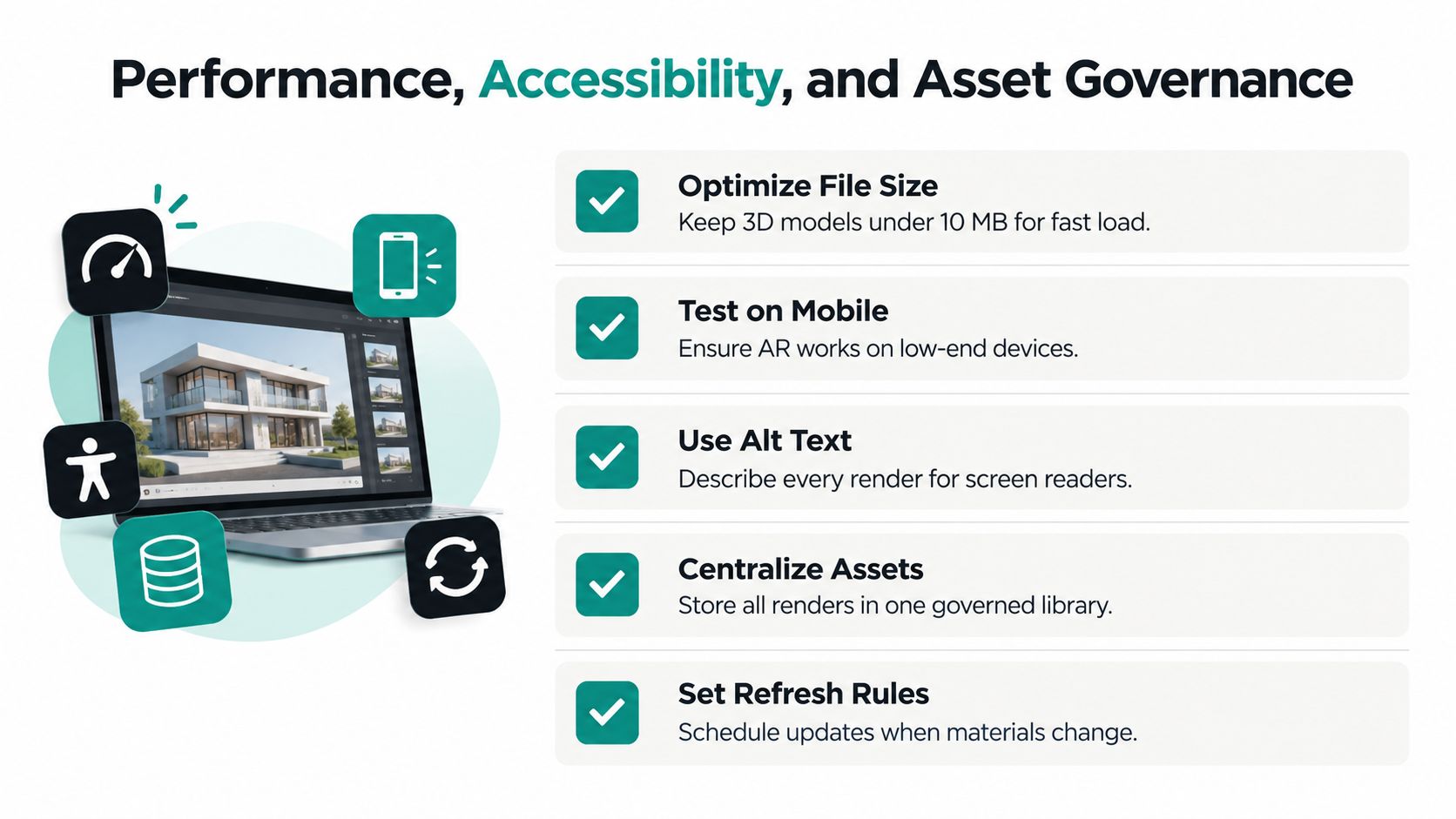
A technically impressive 3D viewer can still be the wrong choice if it delays the first useful product image or makes the page difficult to use. One recent source warns that a typical 3D model may be 2–10 MB and that preloading can create significant speed penalties (e-commerce 3D and AR implementation considerations). That matters on a mattress page, where shoppers may compare several products and may not have a fast connection or a device suited to heavy interactive content.
Make the experience usable without 3D
Keep a clear static image available before the viewer loads. Load interactive models only when appropriate, and test their impact on page speed and Core Web Vitals rather than assuming the feature is harmless. If AR is part of the experience, check it on mobile devices and provide a useful alternative for shoppers whose devices can't support it.
Accessibility needs design, not a last-minute alt-text pass. Provide keyboard controls and visible focus states for interactive features, then describe the product in text as well as visually. For a mattress, useful alternatives should explain the number and arrangement of layers, the placement of firmness or support zones, and visible differences between materials. “Mattress image” doesn't tell a screen-reader user what a cutaway is meant to show.
Bedhead's practical guidance on optimizing images for the web is relevant to static exports, but interactive features need their own performance and accessibility checks.
Govern the master asset
The strongest operational case for 3D is consistency. Treat the approved model as a single source of visual truth connected to the bill of materials, approved dimensions, material callouts, retailer feeds, and revision history. If a foam layer or ticking changes, product and marketing teams should know which assets require review before the revised product reaches consumers.
A useful governance process assigns responsibility for:
Product accuracy: Who confirms dimensions, materials, and construction before release?
Version control: How are revisions named, approved, and recorded?
Channel delivery: Which approved image formats and descriptions go to each retailer?
Accessibility: Who writes and reviews descriptive text for product images and interactive elements?
Refresh rules: Which product changes trigger a new render or a review of existing assets?
A viewer is an interface. The governed model, product data, and approved exports are the system behind it.
Evaluating Vendors and In-House Production
A mattress brand doesn't need to choose between a fully staffed 3D department and handing over every decision to an outside studio. The right setup depends on how often products change, how many configurations must be supported, and whether the organization can maintain accurate product data and visual approvals.
Compare the operating models
An in-house team can stay close to product development and respond directly to internal requests. It also requires people who can model, texture, render, optimize, and maintain assets. If launches are occasional or the team lacks specialized production skills, those capabilities can be difficult to justify.
A hybrid model keeps product knowledge and art direction inside the business while a specialist studio handles modeling and rendering. This can work well when internal product teams know the details of ticking, foam layers, and construction, but don't have the capacity to produce every asset.
An outsourced model is straightforward when a brand needs a defined asset family without building internal production. The risk is losing control of updates if the vendor doesn't return an editable, well-documented master asset or establish a clear revision process.
Ask questions that expose the workflow
Don't evaluate a vendor on a polished hero render alone. Ask how the team validates mattress dimensions, maps a new ticking across product sizes, handles a material change after approval, and prepares assets for retailer feeds. Confirm how revisions are applied to the master model rather than patched into individual images.
Also review:
Dimensional accuracy: What references validate thickness, profile, and construction?
Material fidelity: How are ticking, quilting, and color checked against samples?
Asset family scope: Are silhouettes, room scenes, close-ups, and cutaways included?
Delivery and updates: How are approved files named, versioned, and revised?
Accessibility and channel support: Can the team supply descriptive image text and web-ready exports?
A useful 3D model service overview can help clarify what a production relationship may include. For any partner, agree on ownership, file handoff, and approval responsibilities before production begins. Those details determine whether the work remains usable when a product changes.
Putting It Together and Where to Go Next
Treat 3D product photography as an operating system for visual product information, not a one-time render. Start with an accurate master model, approve its dimensions and materials, then create only the assets that answer real shopper questions. Connect the outputs to product pages, retailer feeds, and the sales tools used in showrooms.
A marketing director can start with a focused action plan:
Audit one mattress product page for missing visual information.
Identify the product claims shoppers can't verify from the current imagery.
Confirm the latest dimensions, bill of materials, and approved materials.
Choose the asset types that address those gaps.
Test performance, accessibility, and customer response before expanding the program.
Bedhead Marketing works exclusively with the mattress and bedding industry across 3D graphics, product-page optimization, digital marketing, and sales training. Teams can also explore Bedhead University for educational resources.
Mattress professionals looking for industry news, marketing insights, networking, training resources, a directory, and business tools can join Bedhead Network (BEDNET) at www.BedheadNetwork.com. It's free for mattress industry professionals.
If your team is reviewing mattress imagery, product-page performance, or how visual assets move from product specifications into retailer channels, BEDHEAD offers 3D rendering and marketing support built for the bedding category. Visit Bedhead to discuss a practical asset plan for your product line.