8 Interactive Examples for Mattress Brands
What should a mattress shopper click to feel confident choosing a bed they can't try first? Too many product pages still ask people to judge comfort, construction, size, and value from a few static images and a list of specifications. That's a difficult assignment when the shopper can't lie down on the mattress, compare its feel with another model, or see how its height works with their bed frame.
Useful interactive examples do more than animate a product. They help customers understand construction, compare options, find a mattress that fits their needs, and get support after delivery. The same tools can strengthen a showroom conversation, give phone and chat teams a clearer starting point, and explain details that a floor model alone can't communicate.
The business test is simple: does the interaction help a shopper make a better decision, or does it merely attract a click? Research involving 120 participants found that augmented reality increased engagement compared with 2D images and standalone 3D models, but didn't meaningfully improve product attitudes or purchase intention. That's a useful reminder for mattress marketers. Online shoppers often buy without physically trying a bed, so each interaction should address a specific uncertainty, not just look impressive. (Research on AR, engagement, and purchase intention)
The following mattress-focused interactive examples form a buying system, from product proof and guided choice to virtual selling and post-purchase care. Each one should have a clear purpose, a usable fallback, and a result the team can measure.
1. Mattress Finder Quiz and Firmness Comparison Tool
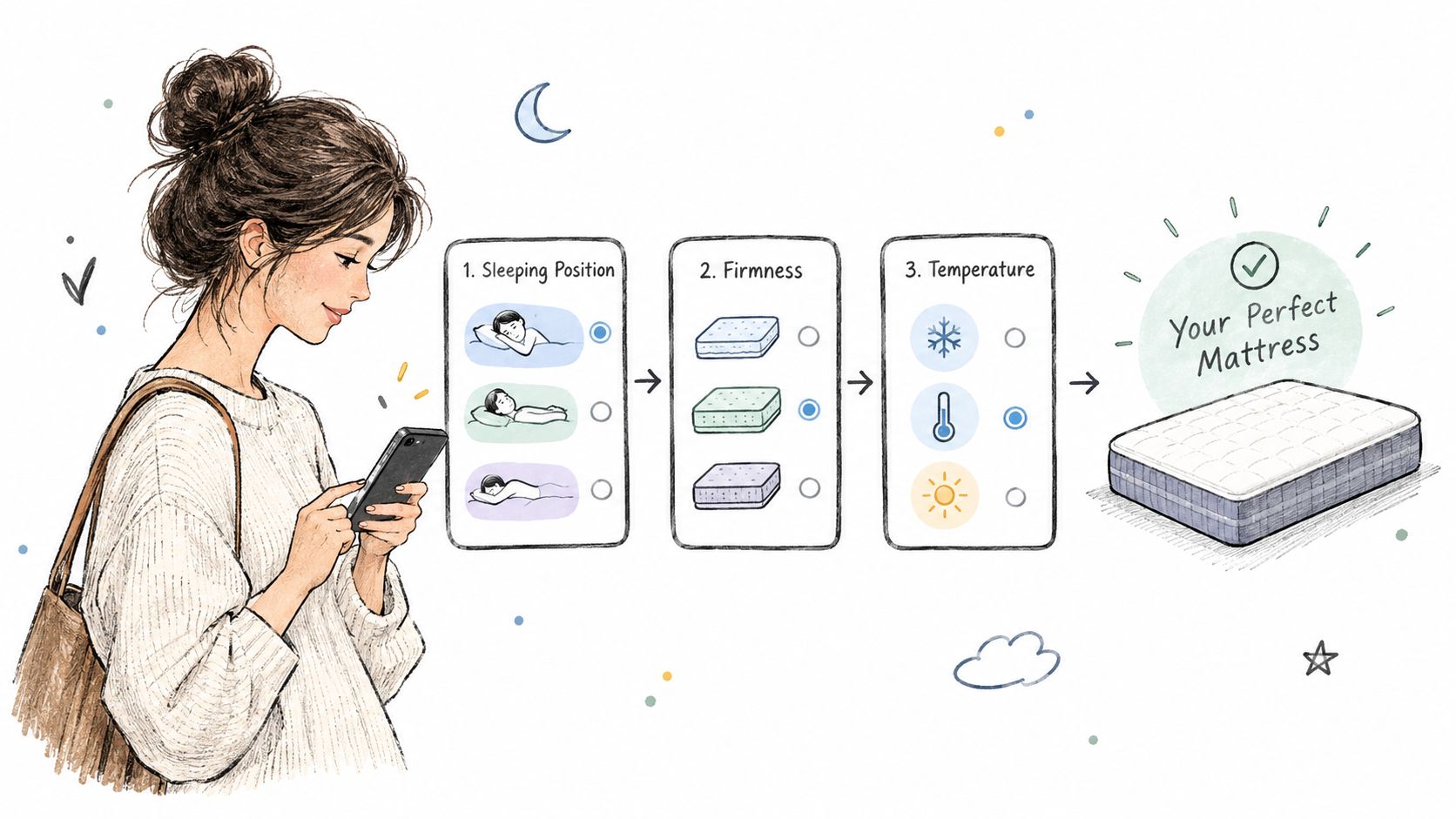
A mattress finder works best when it replaces specification overload with a useful recommendation. A shopper can answer questions about sleep position, body-weight range, temperature sensitivity, comfort concerns, and preferred firmness, then compare suitable models by feel, pressure response, motion isolation, and bounce.
Brands such as Helix and Saatva use mattress-finding tools to guide shoppers toward relevant options. Purple's Grid demonstrations take a different route, showing how a feature is intended to respond to pressure. Comparison pages can bring the decision back to mattress language by displaying firmness and sleep-position recommendations side by side.
Make the result useful on the floor and online
Keep the quiz focused. Ask only questions that change the recommendation, show progress, and explain firmness in plain language. A firmness score is only helpful if a shopper knows what it means for their sleep position and comfort preference. Compare models using consistent assumptions, so shoppers aren't evaluating one mattress for a side sleeper and another for a back sleeper.
Treat quiz responses as zero-party data, information customers choose to share with the brand. A result should give shoppers something useful in return, such as a short list of suitable beds, an appointment option, or clear trial and return terms. (How mattress brands can use zero-party data)
Test before expanding: Track quiz completion, recommendation clicks, showroom or chat handoffs, and returns by product. Review return reasons regularly to see whether the tool is helping customers choose, not just collecting answers.
What to test: Compare a guided recommendation with a standard product grid. Check whether shoppers reach a product detail page or request help more often after using the quiz, then examine return reasons for the recommended models.
2. Interactive Layer Breakdown for Mattress Construction
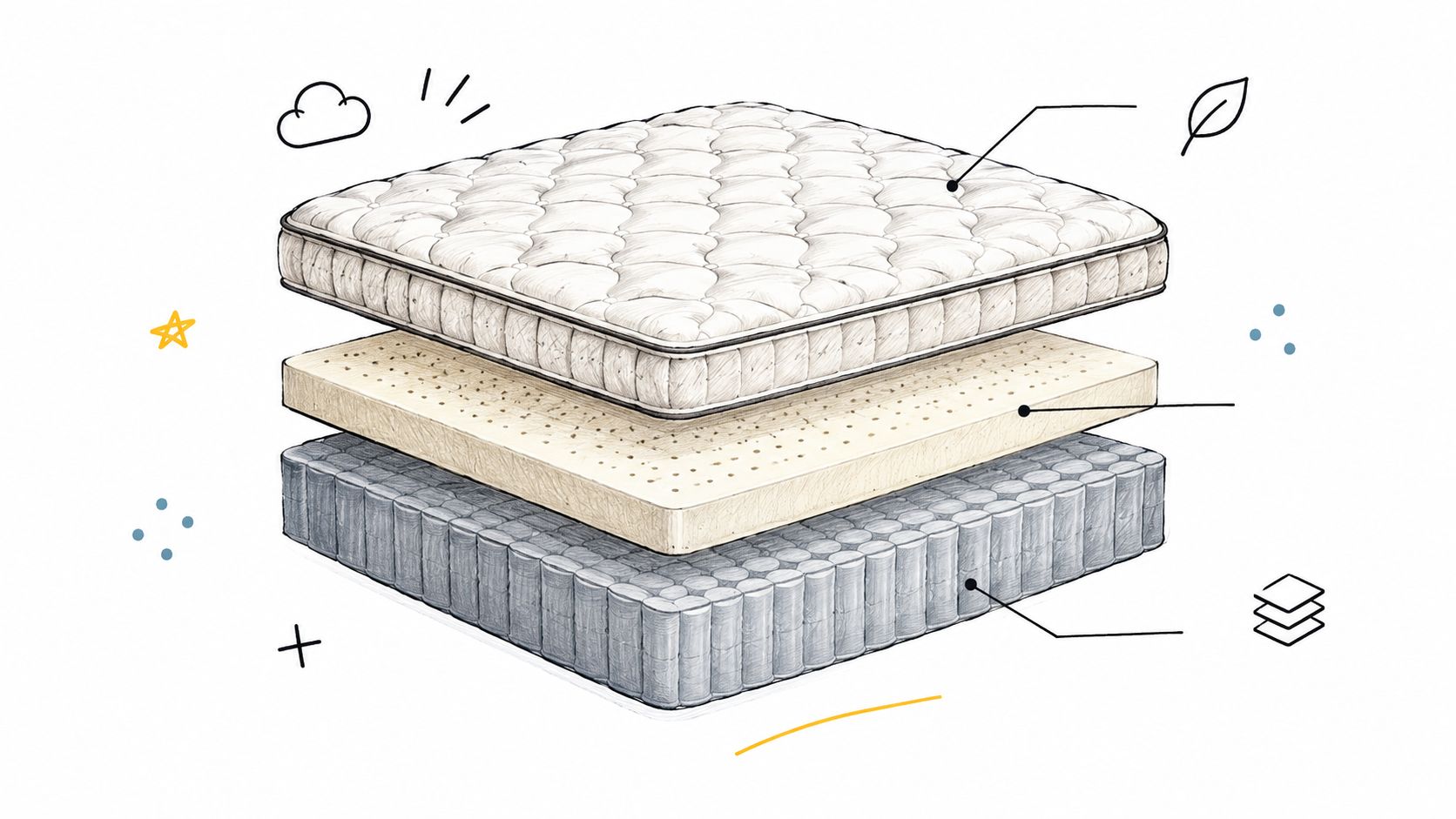
A mattress cutaway can answer the question a polished product photo can't: what's inside the bed? An interactive layer breakdown lets shoppers select the ticking, quilt, comfort foam, transition layers, or support core to see what each part is made from and what it does.
Bedhead calls its layered interior product visuals Digibuns. They're especially useful for foam and hybrid mattresses, where the differences between models may be hidden beneath the cover. A static image can show the general construction; clickable labels can explain why a comfort layer feels different from the support core.
Explain function, not just material names
Start with the components most relevant to the purchase decision: the quilt, comfort layer, and support core. Use accessible language alongside technical details. “Soft top foam for pressure relief” gives a shopper a clearer starting point than a material name on its own. Add density or thickness information where it helps explain a meaningful difference between models.
The interaction shouldn't force customers to guess where to click. A visible selector, short label, and concise explanation are easier to use than hover-only hotspots, especially on a phone. Pair the cutaway with a simple comparison of how construction relates to firmness or feel. Bedhead's guide to product video animation for mattress brands can also help teams think through how to reveal construction in motion without letting animation replace the explanation.
Practical rule: Every layer should answer a shopper's question. If a detail doesn't help explain comfort, support, durability, or product differentiation, it may not need a hotspot.
What to test: Put an interactive layer view beside a static cutaway and compare product-detail engagement, layer-selection activity, and questions about construction from shoppers or sales associates.
3. 360-Degree Product Viewer and Interactive Silhouettes
A mattress can look convincing in a hero image and still leave practical questions unanswered. What does the edge look like? How tall is the profile? Are the corners rounded or squared? Can a shopper see the side panel, handles, tufting, or ticking clearly enough to distinguish one model from another?
A 360-degree viewer lets shoppers rotate and zoom to inspect those details. Clean silhouette images, product renders isolated on a neutral background, can provide a consistent visual foundation across product pages, category grids, and comparison views. When every SKU uses the same camera angle and lighting, shoppers can compare shape and finish without interpreting a different photo style each time.
Keep the viewer from slowing down the decision
A viewer should add inspection, not introduce friction. Load the main product image first and defer the heavier 3D experience until the shopper chooses to use it. Keep controls obvious and describe their actions. If a shopper can't rotate a mattress or prefers not to use the viewer, they should still be able to inspect clear static images.
Use the viewer to show details that matter at home and in the showroom: edge construction, side handles, quilting, and overall profile. Add a clear height callout only when it's verified for that specific SKU. If the product page also includes a compression or unboxing video, give it a separate place in the experience rather than stacking media without context.
For keyboard users and assistive technology, a visual viewer needs an equivalent way to explore product information. W3C guidance calls for keyboard access to interactive controls, while accessibility guidance for images requires meaningful text alternatives and programmatic information about an interactive component's name, role, and state. (W3C guidance for accessible interactive elements) (Accessibility guidance for images and interactive components)
What to test: Compare a standard image gallery with a viewer that offers equivalent static product details. Measure use of the controls and whether shoppers engage more with verified product information such as profile, handles, ticking, and edge construction.
4. AR Room Preview and Room Scene Configurator
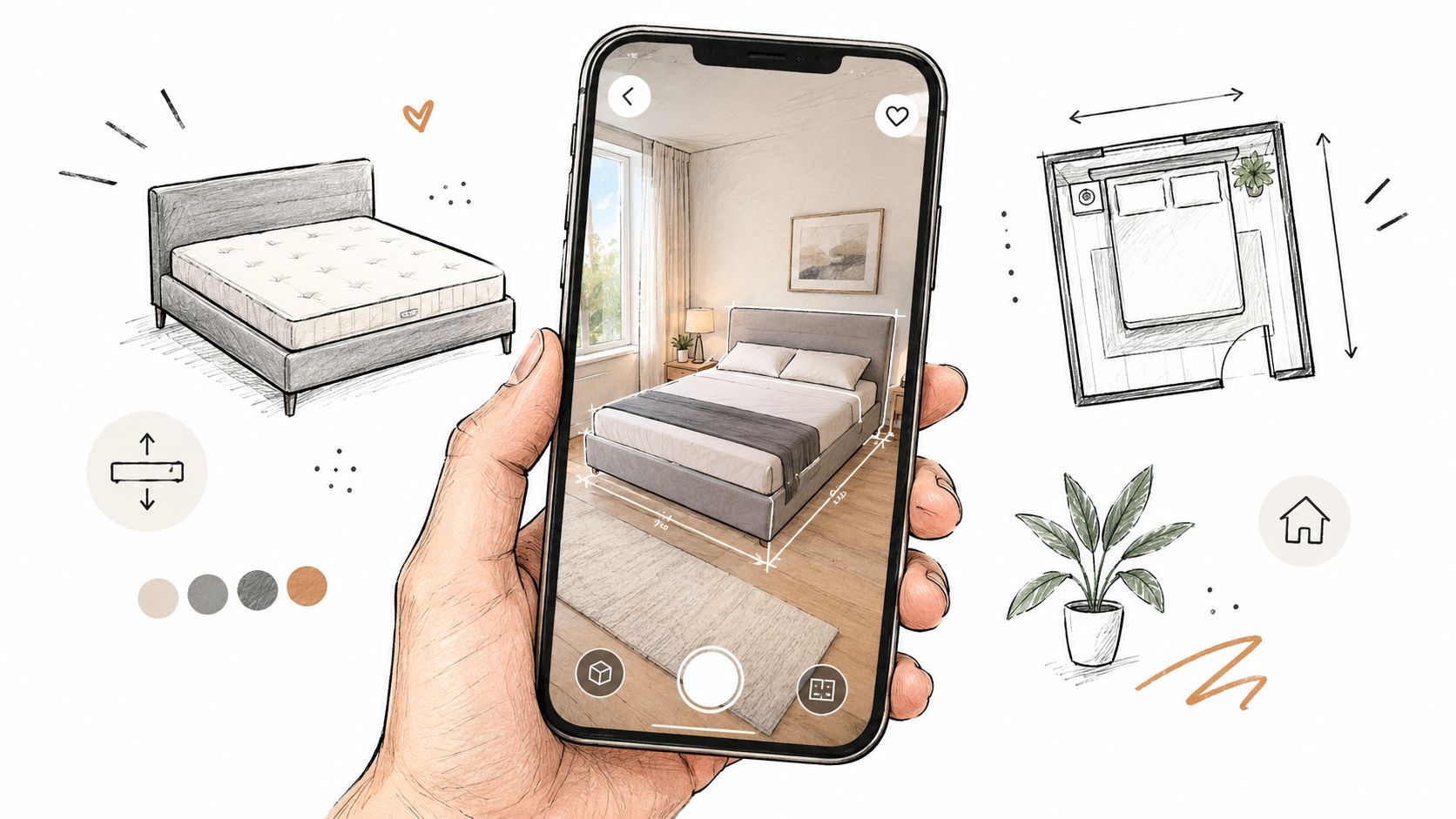
Seeing a mattress in a bedroom can make size and style easier to understand. A room scene gives shoppers context for how a mattress and foundation look together, while augmented reality can let them preview a bed in their own space.
Bedhead's Room Scenes provide a static version of that contextual experience. They can show how a mattress sits on a frame, how the headboard relates to the bed, and whether the overall profile suits the room. AR adds the possibility of placing a bed in a shopper's actual space, but it isn't automatically better. If the scale is unclear or the tool struggles on a phone, the visual can create more uncertainty instead of resolving it.
Show the whole setup, not just the mattress
A mattress doesn't sit in isolation. The foundation or base changes the finished bed height, and frame compatibility can influence whether a shopper feels the complete setup will work in their room. Include product dimensions near the scene and depict the base accurately. Don't imply a precise fit if the visualization doesn't represent real scale.
Brands can start with well-produced static Room Scenes before investing in AR development. Use the same scene assets on product pages and in paid social creative, while making sure each image's product and setup are clear. BEDHEAD's overview of augmented reality for mattress products is relevant when evaluating whether an AR experience fits the products and customer questions at hand.
Accessibility matters here, too. Offer a text summary of the dimensions and setup shown, and don't make room fit understandable only through color, motion, or a draggable view. A shopper should be able to compare the relevant details without needing to operate the AR feature.
What to test: Add room scenes for selected mattress-and-foundation combinations and track whether shoppers use the size and dimension information, view compatible bases, or ask fewer questions about total bed height.
5. Connected Bed Sleep Dashboard
The sale is where most mattress relationships end. A connected bed keeps it going. A companion dashboard can surface sleep-related information, let owners adjust bed settings, or walk them through features they paid for but haven't touched. Sleep Number's SleepIQ app is associated with tracking sleep and adjusting firmness by side, while Eight Sleep's app offers temperature controls and sleep-pattern tracking.
That ongoing contact has commercial value. An owner who understands how to adjust their bed is an owner who uses it, and an owner who uses it returns less often and complains less. If the brand also sells pillows or protectors, the right moment to introduce a compatible accessory may come weeks after delivery, once the owner has settled into the bed itself. Resources on technology for better sleep are useful context when scoping what a companion app should and shouldn't attempt.
Be clear about what the dashboard can tell someone
Keep the first screen focused. A simple summary and one relevant next step beats a dense spread of graphs and settings.
Say plainly what the product measures and what it can't establish. Sleep data should be presented carefully, without implying the app can diagnose a health problem or guarantee better rest. A monthly summary can bring owners back, but it needs to offer something specific: an unused setting, a side-specific adjustment worth trying, a feature explained in plain language. Privacy and consent belong in the product design itself, not in fine print added after launch.
One honest caveat. Connected dashboards are a specialist case, suited to beds with features customers can genuinely control through software. A brand without that product foundation will serve owners better with a solid care guide or a useful post-purchase email than with an app that adds little.
What to test: Ask new owners whether the dashboard helped them set up and use their bed, then track engagement with specific features and any accessory recommendations. Keep customer feedback separate from claims about sleep outcomes.
6. Virtual Showroom and Live Shopping Appointments
A virtual showroom brings a trained mattress salesperson into a shopper's home by video. The associate can ask about comfort needs, talk through construction, and compare models even when the shopper can't visit the store or the retailer doesn't have every SKU on the floor.
That matters in bedding because a product page and a showroom conversation solve different parts of the decision. A web page can organize specifications and images. A knowledgeable associate can ask follow-up questions, explain what a hybrid build may feel like, and connect a firmness preference to the shopper's sleep position.
Make each appointment feel like a real consultation
The associate should have the same tools available online that they'd use in the store: layer breakdowns, comparison views, trial terms, delivery details, and clear product imagery. They can open with questions about sleep position, body-weight range, comfort goals, and any concern about partner disturbance or temperature. Those answers should shape the comparison, not turn the call into a scripted product pitch.
After the appointment, send a concise recap with the models discussed, why they were recommended, trial details, and delivery options. Keep the handoff practical, so a shopper can continue online or visit the showroom without repeating the whole conversation. A useful omnichannel experience depends on carrying context between touchpoints, not merely adding a video button to the site. (Omnichannel customer experience guidance for SaaS product teams)
Track consultation-to-purchase outcomes by associate to identify where coaching may help. A high volume of appointments isn't enough if shoppers leave without a clear comparison or next step. Virtual selling works when the associate can explain product differences with confidence and the customer can review the recommendation afterward.
A virtual appointment should feel like a guided mattress comparison, not a video call that happens to include a product catalogue.
What to test: Offer video appointments with a consistent consultation flow and record which models are discussed, whether shoppers receive a recap, and whether the session leads to a showroom visit or purchase.
7. Build-Your-Set Bundle Configurator
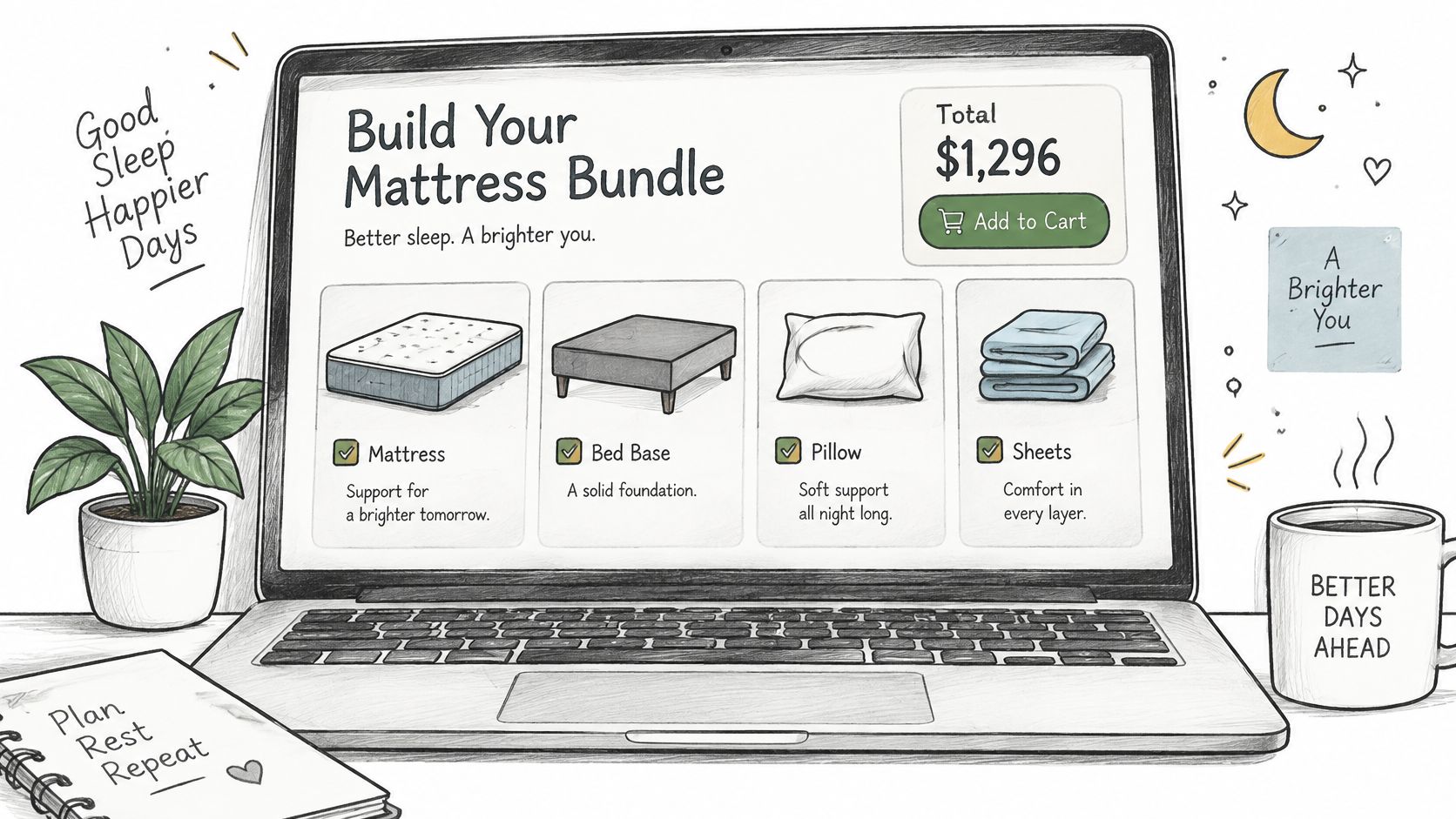
A bundle configurator can help shoppers choose a complete sleep setup instead of assembling components by guesswork. They can select a mattress, foundation or base, pillows, protector, and sheets while checking fit and seeing the total price update.
This is useful when the pieces affect one another. A thick mattress plus a foundation may create a bed height the shopper didn't expect. A protector needs to fit the mattress profile, and an adjustable base may narrow which mattress options make sense. A configurator can surface those connections while the customer is still choosing, rather than after an incompatible set arrives.
Use bundle logic to clarify choices
Start with mattress size and firmness, then add the components that complete the setup. Show total height with and without the foundation, and make compatibility rules visible before checkout. If the bundle includes a saving, show the amount clearly in dollars, with a simple explanation of what's included. Don't make shoppers work out the value from a set of crossed-out prices.
Bed-in-a-box brands often pair mattresses with pillows and protectors, but a configurator can make that combination more useful by tying the add-ons to the selected size and mattress. The intent isn't to attach every accessory to every order. It's to help customers understand which items fit and why they might want them.
Track configurator use alongside bundle selection, order composition, and return reasons. A higher basket value is not the only measure of a good experience. If customers order a mismatched protector or misunderstand finished bed height, the interface hasn't done its job. Product configurators can also support more complex choices, as explained in Bedhead's guide to 3D product configurators.
What to test: Start with one mattress range and show compatible bases and protectors as the shopper builds a set. Review where customers abandon, which combinations they choose, and whether size or height issues appear in support contacts and returns.
8. Interactive Mattress Care and Setup Guide
The buying experience doesn't end at checkout. A customer may need guidance on unboxing, setup, expansion, break-in, rotation, and protector use. If a bed-in-a-box doesn't look or feel as expected right away, clear post-purchase instructions can help the owner understand the product before deciding something is wrong.
An interactive care guide can combine short videos, simple diagrams, and a progress-friendly setup sequence. It can explain how a foam or hybrid mattress should be handled, what to expect as comfort layers settle, and how to care for the ticking and surface. The exact instructions should match the product and its manufacturer guidance.
Put help where the owner needs it
Send the guide in the post-purchase email flow and make it easy to find again from the order confirmation or account area. A new owner may want setup instructions on delivery day, then care advice later. Organize the content around those moments instead of putting every topic into one long manual.
Use clear headings, captions for video, and written alternatives for visual steps. A customer using a phone during setup may not be able to watch a long video, and a shopper using assistive technology shouldn't be locked out of the instructions. If an animated sequence starts automatically, provide visible controls to pause it, following W3C guidance on designing accessible controls. (W3C guidance for designing accessible controls)
Track support and return reasons by setup stage. If customers ask repeatedly about expansion, rotation, or initial comfort, revise the corresponding instructions. A timely protector recommendation may also be relevant, but the guide should lead with care and setup, not an upsell.
What to test: Send a product-specific setup guide after delivery and review which steps customers open, which issues prompt support contacts, and whether return reasons point to misunderstandings the guide can address.
Comparison of 8 Interactive Mattress Examples
Example | Implementation Complexity | Resource Requirements | Expected Outcome | Ideal Use Case | Key Advantage |
|---|---|---|---|---|---|
Mattress Finder Quiz and Firmness Comparison Tool | Medium | Quiz logic, product data, UX design, ongoing updates | More confident choices and better-matched recommendations | Helping shoppers narrow mattress options online | Reduces decision fatigue |
Interactive Layer Breakdown | Medium–High | Accurate construction data, interactive visuals, mobile-friendly design | Clearer understanding of materials and construction | Explaining foam and hybrid mattress features | Makes hidden construction easier to evaluate |
360-Degree Product Viewer | Medium–High | Consistent product renders, 3D assets, performance optimization | Better understanding of product appearance and dimensions | Showing mattress details across product pages | Lets shoppers inspect products from multiple angles |
AR Room Preview and Room Scene Configurator | High for AR; Medium for static scenes | Accurate dimensions, 3D models, compatible devices or rendered scenes | Better assessment of room fit and style | Helping shoppers visualize mattress size and appearance at home | Adds room context before purchase |
Connected Bed Sleep Dashboard | High | Connected hardware, app development, data security, customer support | Ongoing engagement and personalized product use | Selling smart beds or sleep accessories | Extends the customer relationship after purchase |
Virtual Showroom and Live Shopping Appointments | Medium | Trained staff, scheduling tools, product visuals, sales process | More informed decisions and potential sales conversion | Assisting shoppers who cannot visit a showroom | Brings expert guidance to online shoppers |
Build-Your-Set Bundle Configurator | Medium–High | Product compatibility data, pricing rules, configurator interface | Higher bundle sales and fewer fit-related issues | Selling mattresses with compatible bases and bedding | Combines product selection with fit checks and pricing |
Interactive Mattress Care and Setup Guide | Low–Medium | Mattress-specific instructions, checklists, optional video content | Fewer setup-related issues and clearer ownership expectations | Supporting customers after delivery | Reduces confusion with timely care guidance |
Turn Interaction Into Fewer Returns and Better Conversations
Choose interactive features by the uncertainty you need to reduce. An undecided shopper may benefit most from a mattress finder and a consistent firmness comparison. A customer weighing two hybrid mattresses may need a layer breakdown or 360-degree view to understand construction and product differences. A shopper concerned about bedroom fit needs clear dimensions and a realistic room scene, while a customer assembling a full setup needs a bundle tool that checks mattress, base, and accessory compatibility.
Match the experience to the moment:
Guided choice: Use quizzes and comparisons to narrow a crowded assortment.
Product proof: Use layer breakdowns and 360-degree views to explain construction and visible details.
Fit confidence: Use room scenes and bundle configuration to show how the mattress works with the space and the rest of the bed setup.
Assisted selling: Use virtual appointments when a shopper needs a trained associate to compare comfort and construction.
Post-purchase care: Use setup and care guides to answer practical questions after delivery.
The goal isn't to put every interaction on every product page. A visualizer that loads slowly, a quiz that asks questions without improving its recommendations, or a room preview without useful dimensions can add friction. Keep the static product information available, give interactive controls clear labels, and make sure customers can access the same essential information with a keyboard or assistive technology. (WCAG guidance on text and interface contrast)
Set a measurable hypothesis for each feature before building it. For a quiz, that might be whether more shoppers reach a relevant product page. For a construction viewer, check whether customers engage with layer details or ask fewer basic questions about the foam and support core. For virtual selling, examine whether the appointment helps customers move to a clear next step. Engagement alone doesn't prove that the experience improved a mattress decision.
That distinction matters. Pampers' mobile-first campaign in Hong Kong and Taiwan used a 360-degree exploration of a simulated crawling baby's perspective, with developmental information embedded in the experience and a trial-redemption call to action. In fewer than two weeks, it attracted more than 150,000 mothers of crawling-age children, while product-trial conversions increased tenfold compared with the brand's 2013 benchmark. The transferable lesson for mattress brands isn't to copy the concept. It's to make interaction purposeful, connect exploration to a useful action, and evaluate performance against a suitable static comparison. (Pampers interactive campaign case study)
An interactive diagnostic can also qualify leads. A reported Inventrom scholarship assessment generated more than 98,000 visits and over 61,000 leads, with a reported conversion rate above 62%. That campaign's result depends on its own analytics definitions and shouldn't be treated as a mattress forecast. For a mattress finder, measure completion, lead capture, retailer handoff, and downstream purchase separately, then validate how each metric is defined. (Interactive content and the Inventrom assessment)
BEDHEAD works exclusively in the mattress and bedding industry, with digital marketing, 3D product imagery, brand development, and sales training for manufacturers, retailers, private-label brands, and sleep-product startups. For practical marketing education, visit Bedhead University. If you're reviewing your product pages, imagery, or showroom handoff, start by identifying the point where customers ask for help most often, then test the interaction that can answer that question clearly. For more content inspiration, see Rankira's Shopify content examples.
Bedhead Marketing provides mattress-specific marketing strategy, 3D product imagery, interactive product experiences, and sales training for bedding brands and retailers. If you're deciding which interaction could make your product pages or showroom conversations clearer, explore the services and resources at BEDHEAD.